The Curated Layer Between Screening and Buying
A watchlist is a focused shortlist of stocks worth a second look — organized by a single thesis, not a graveyard of every ticker that ever caught your eye. ScreenerHub sits the watchlist between discovery and a real buy decision, so research turns into a pipeline instead of a one-time snapshot.
Why Use Watchlists
One Watchlist Per Thesis
Group names by strategy — value, dividend growth, recovery plays — or by decision stage like researching, ready to buy, and owned. A clear theme makes every entry easy to defend.
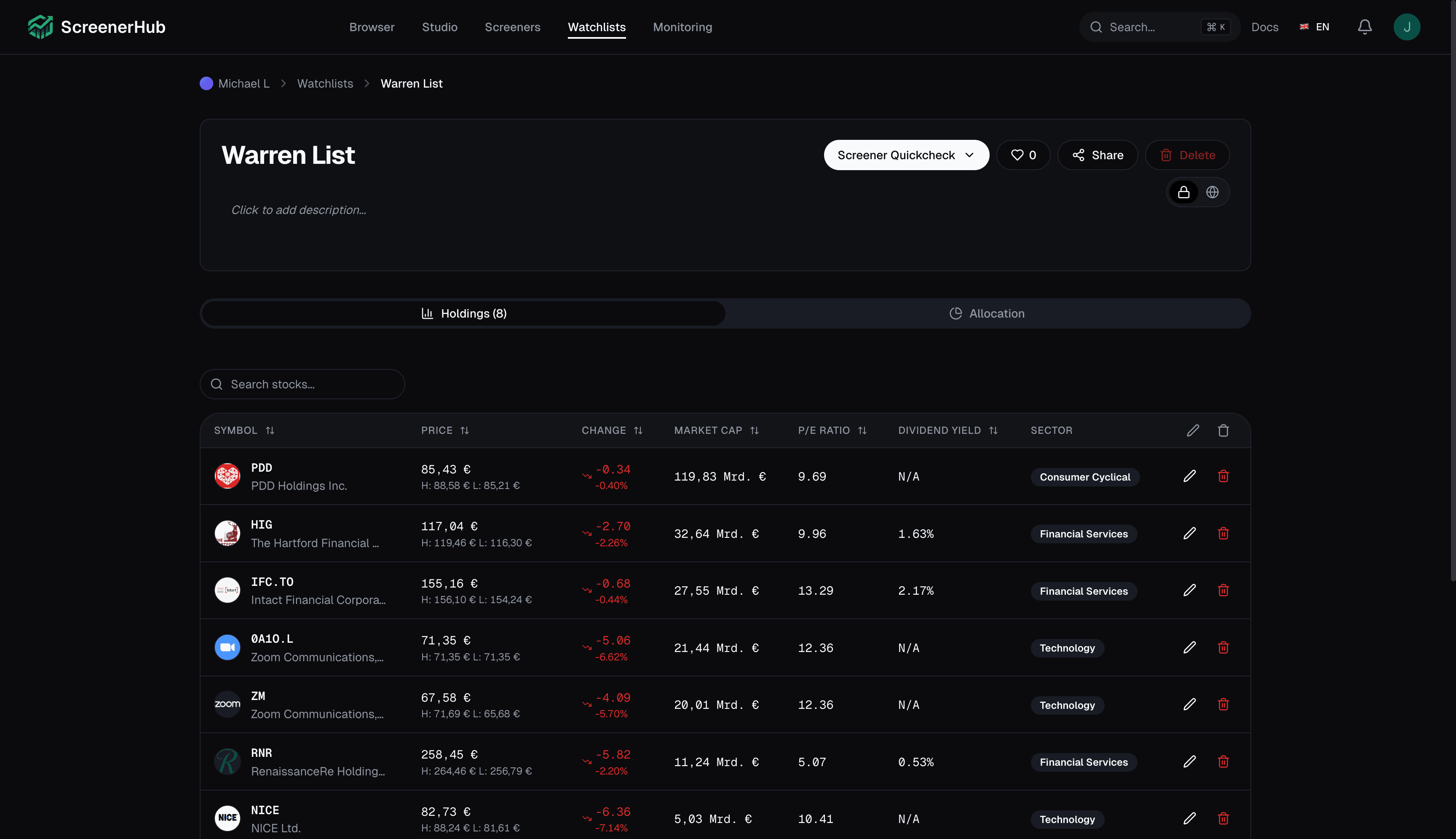
Live Prices, Live Fundamentals
Daily change, market cap, P/E, dividend yield, and sector update automatically. You always see today's number next to the thesis you wrote yesterday.
Three Ways to Add Stocks
Build a list in Watchlist Builder by searching manually, asking the AI assistant in plain language, or importing names from a public community watchlist — then keep what fits your thesis.
Watchlist or Portfolio Mode
Track candidates with live data, or switch to Portfolio mode for shares, cost basis, and target weights. Free includes 1 watchlist with up to 20 stocks; Pro removes the limits.
How It Works
Start in the Builder
Open the Watchlist Builder, name the list after the thesis — for example 'Undervalued European Industrials' — and choose Watchlist or Portfolio mode.
Add Stocks From Anywhere
Search by ticker, ask the AI assistant for ideas in plain language, or import a community watchlist and trim it down to the names you actually trust.
Hand Off to Monitoring
Save the list, then run it through Monitoring Lab to see which names still pass your screener criteria — and which have quietly drifted out.
Watchlists FAQ
Start Screening Stocks Today
Screen 13,000+ stocks with 80+ filters across 15+ global exchanges. Free forever — no credit card required.